
Please follow the guide on how to install Splashtop for mobile
1. From your phone > please find the application 'Google Play store'
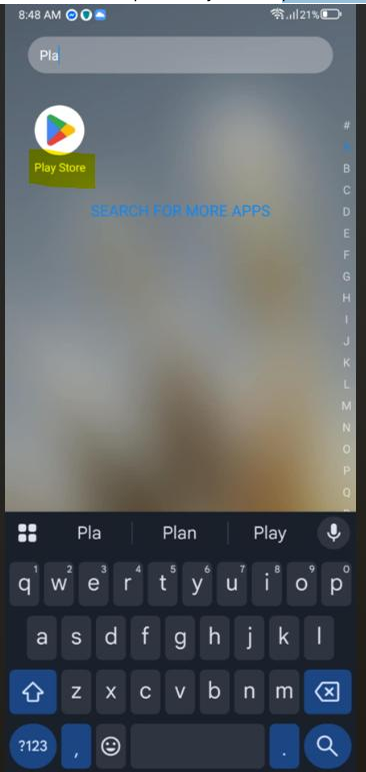
2. From your google Play Store > please find the magnifying glass and enter the word: splashtop > please hit that application then 'Run'
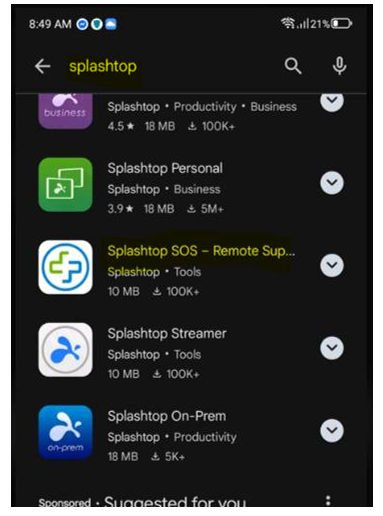
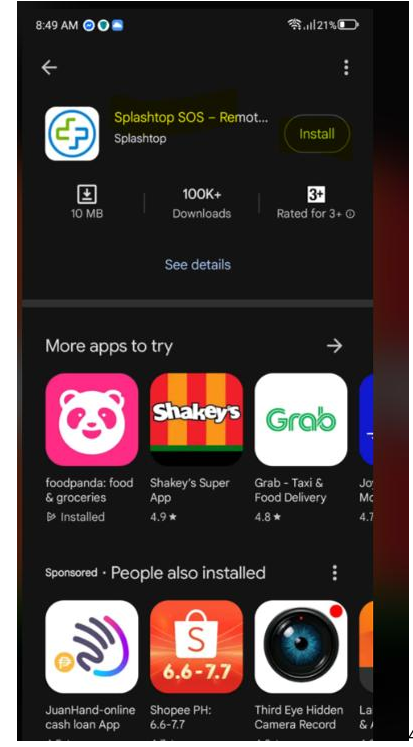
3. Then Hit 'Open'

4. Once the Splashtop app has been appeared please click 'AGREE'
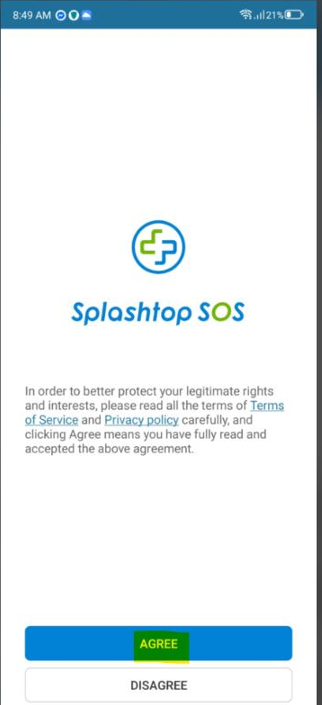
5. Under 'Accessibility Activation' please click > 'AGREE'
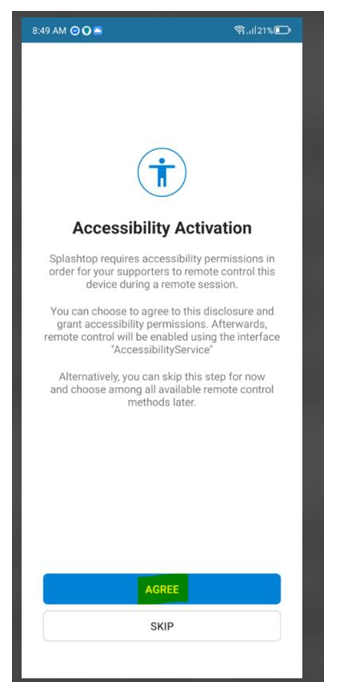
6. Once the 'Accessibility has been appeared please find 'Splashtop SOS' and allow it

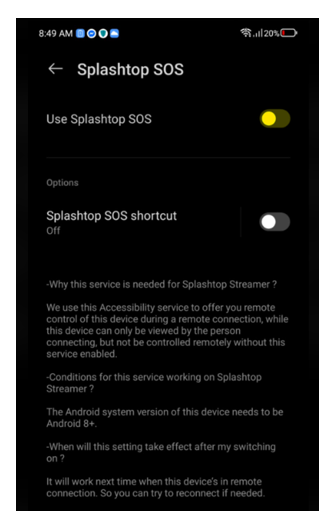
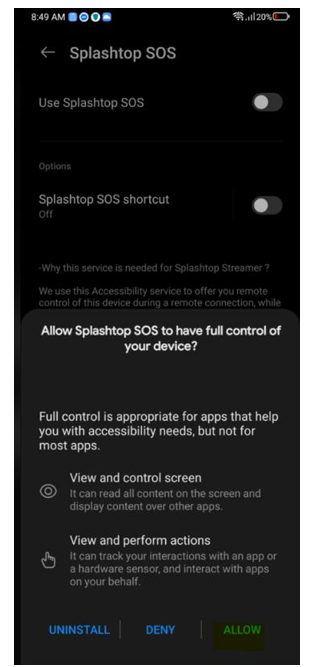
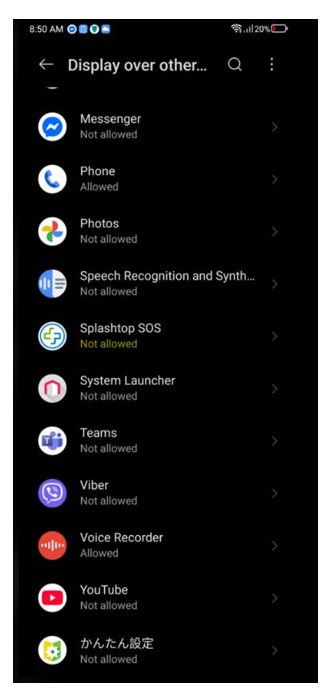
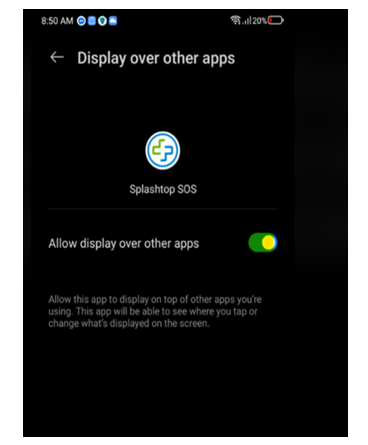
7. From 'Display over other Apps' please 'Allow' Splashtop SOS
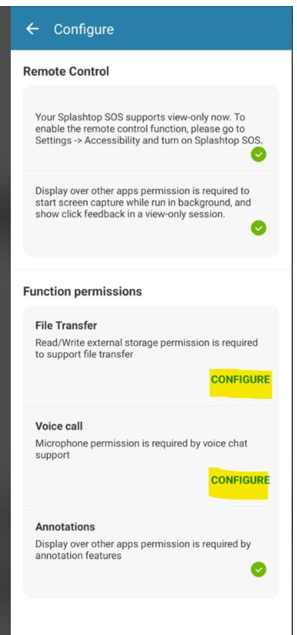
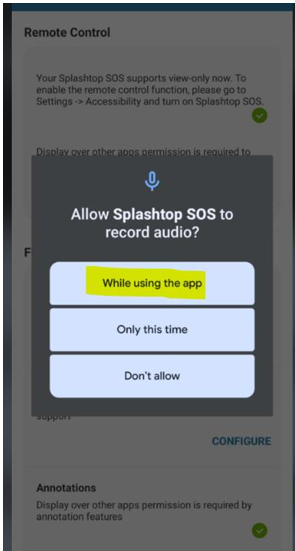
8. For me to be able to access your device > please click 'CONFIGURE' the setting for 'File Transfer and 'Voice call' , configure first the 'File Transfer then after configure 'Voice call
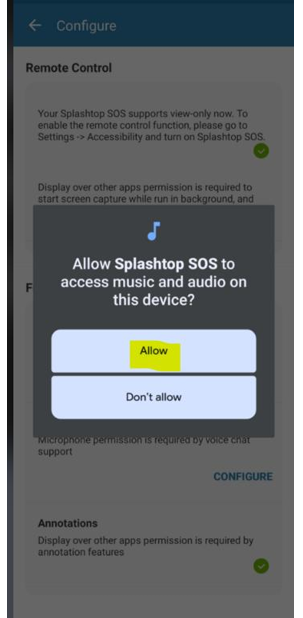
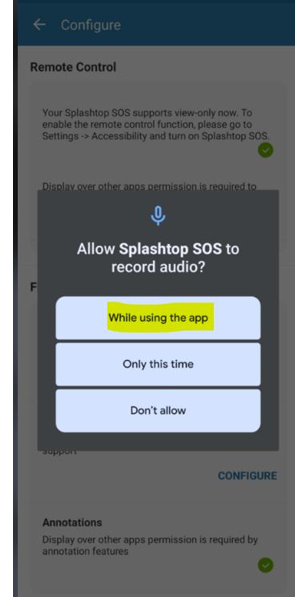
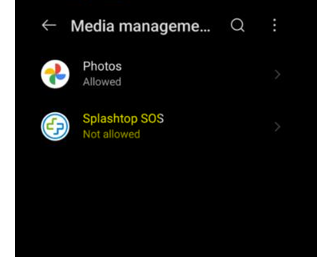
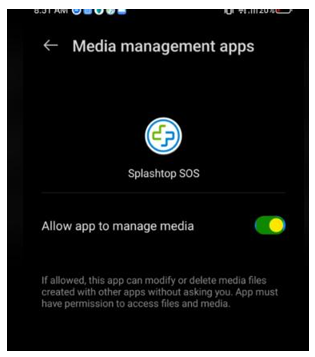
9. Then allow Splashtop from section : Media Management App
10. Once it's shows 'Full Functions Enabled' you can now share to me the 9 digits code of your splashtop
