
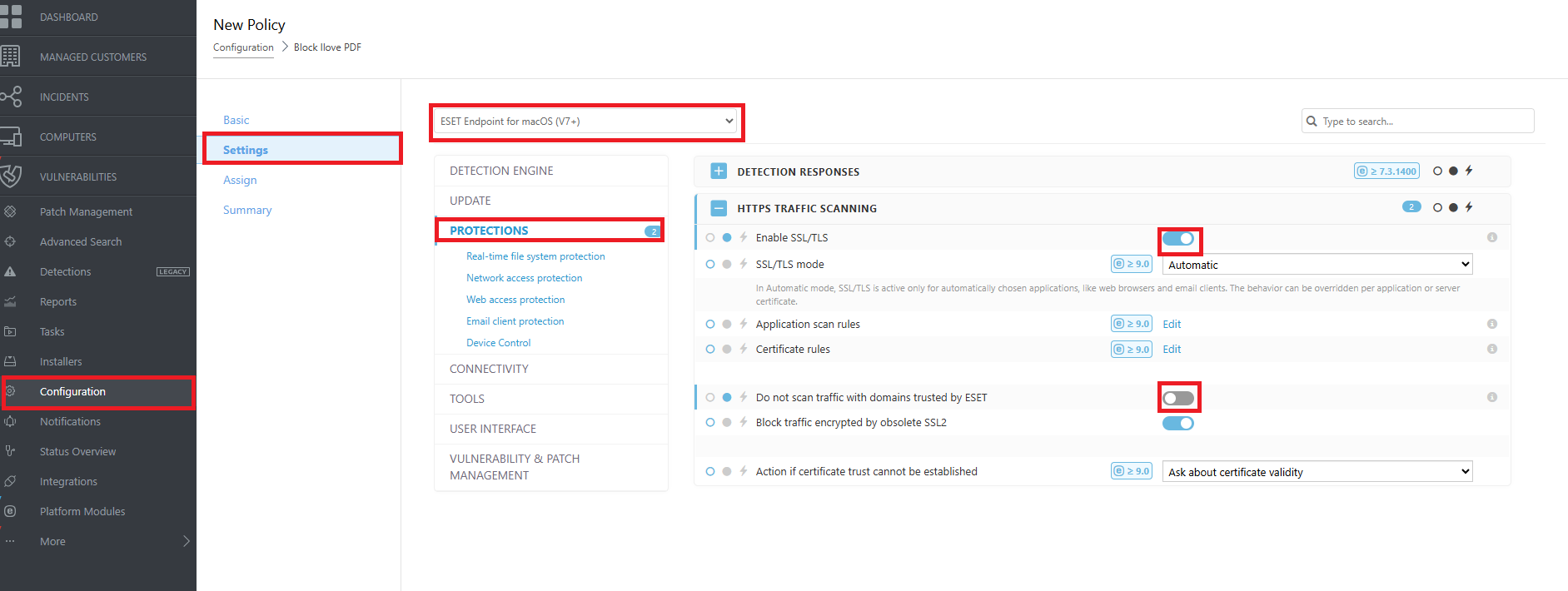
1. To block a website using ESET PROTECT on macOS, go to the Configuration section, click Create New Policy, and assign a name for the policy. Then under Settings → Protections, enable SSL/TLS under HTTPS traffic scanning, and disable “Do not scan traffic with domains trusted by ESET”.
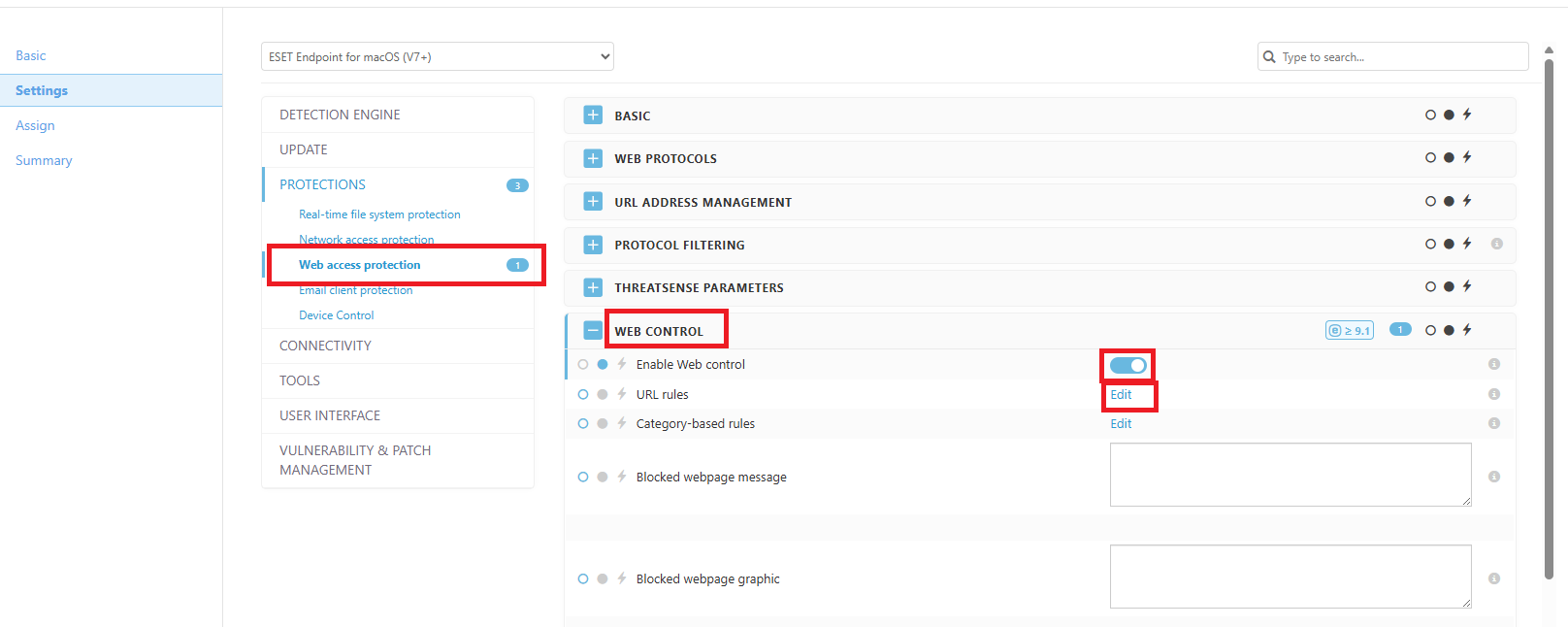
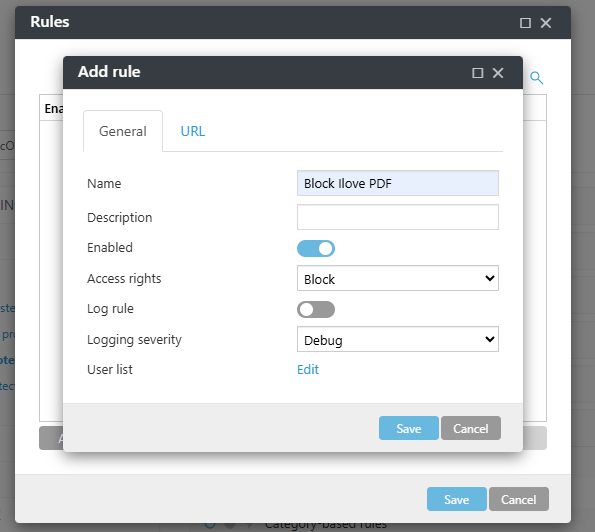
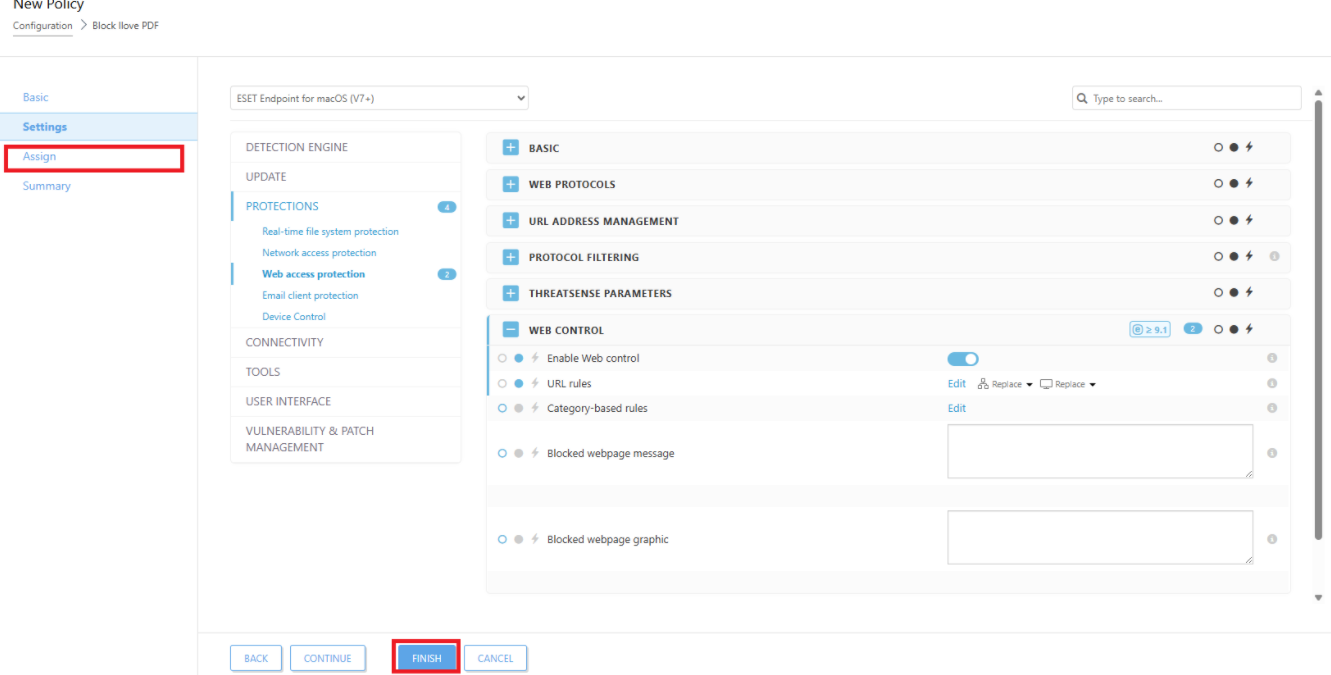
3. After clicking Edit, the Rules window will appear. Click Add, then under the General tab, enter the policy name (e.g., Block iLovePDF). After that, go to the URL tab and enter the website to block, for example: https://www.ilovepdf.com/. then click'Save' Save ' to save the Rule.
If you encounter an error related to SSL or a non-functional protocol, you will need to make the ESET SSL certificate trusted in macOS.
To do this, follow the guide for adding the certificate to Keychain Access and setting it to trusted:
https://help.eset.com/ecs_mac/9/en-US/trust_certificate.html