The access permissions in ESET PROTECT Hub have changed slightly following the transition from ESET Business Account / ESET MSP.
If you would like to create a new user and assign custom permission sets or restrictions, please follow the guide below:
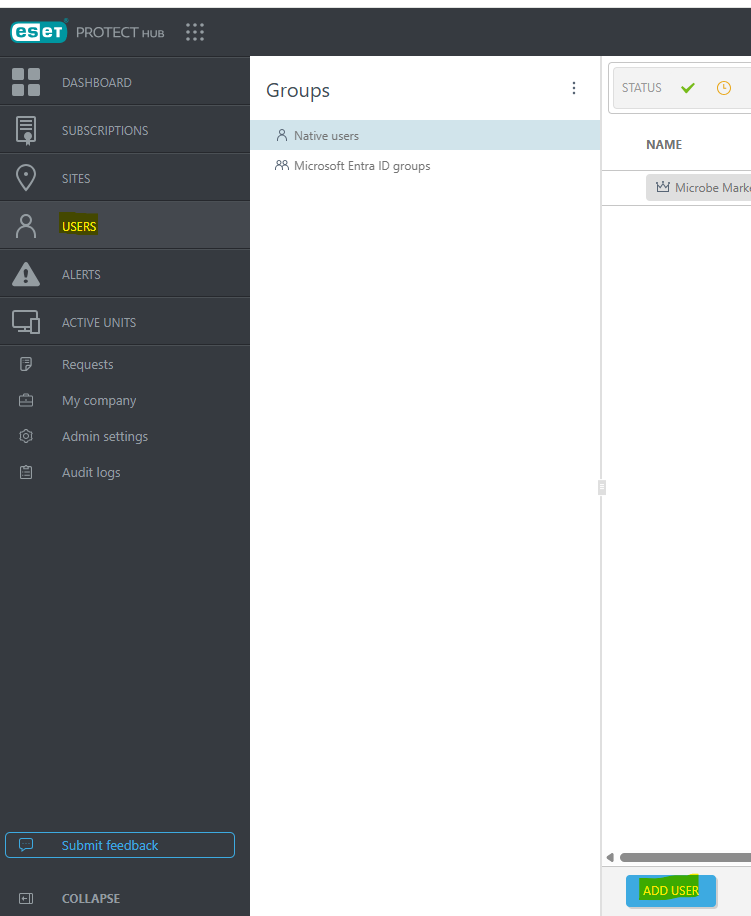
1. In ESET PROTECT Hub, navigate to “Users”, then click “Add User” located at the bottom of the page.
Note : Make sure you are using the global account or root acess
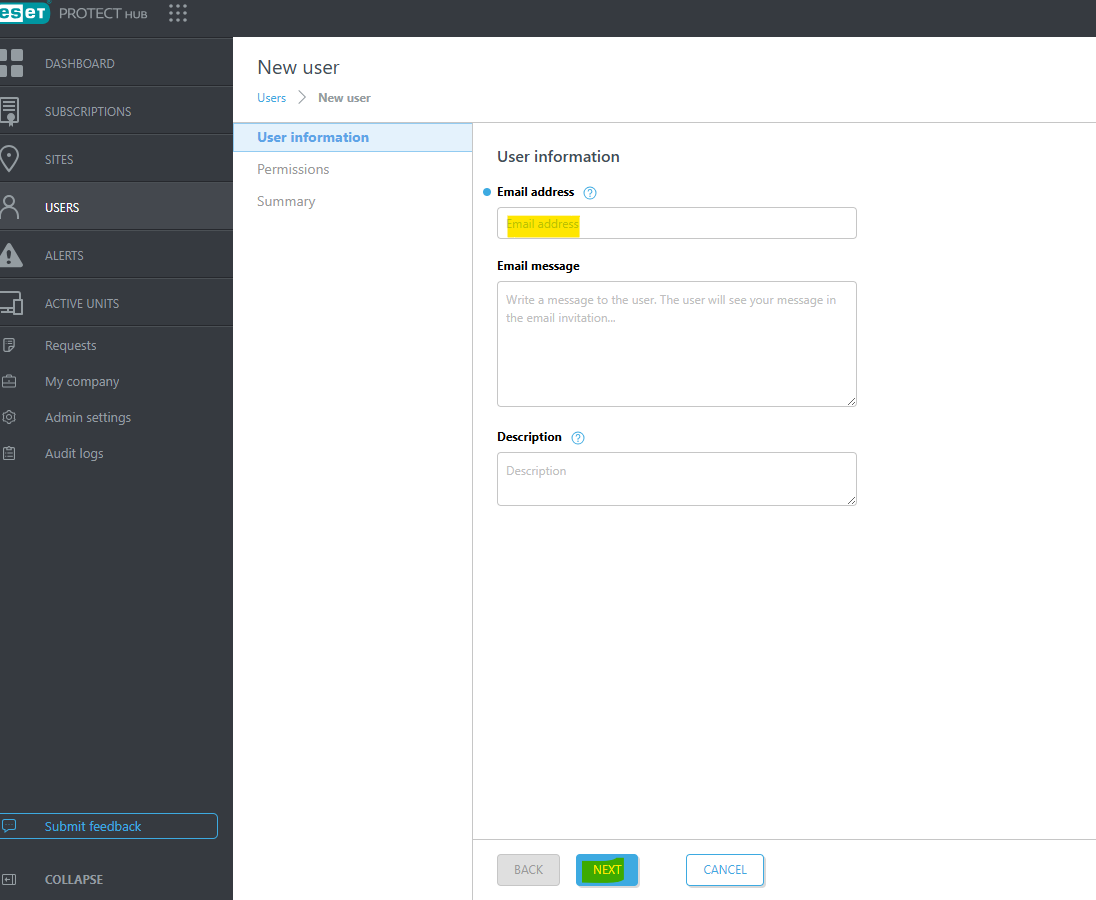
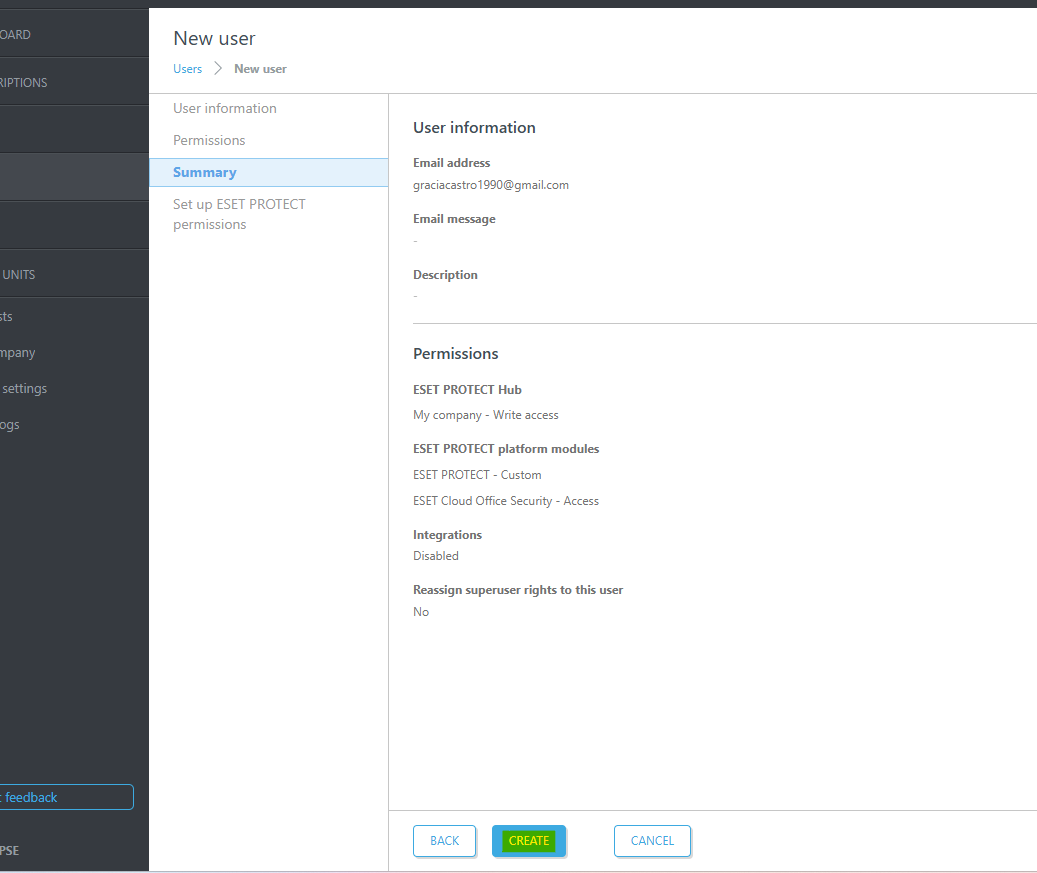
2. Put the email address of the new 'User' under 'Email address then hit 'NEXT'
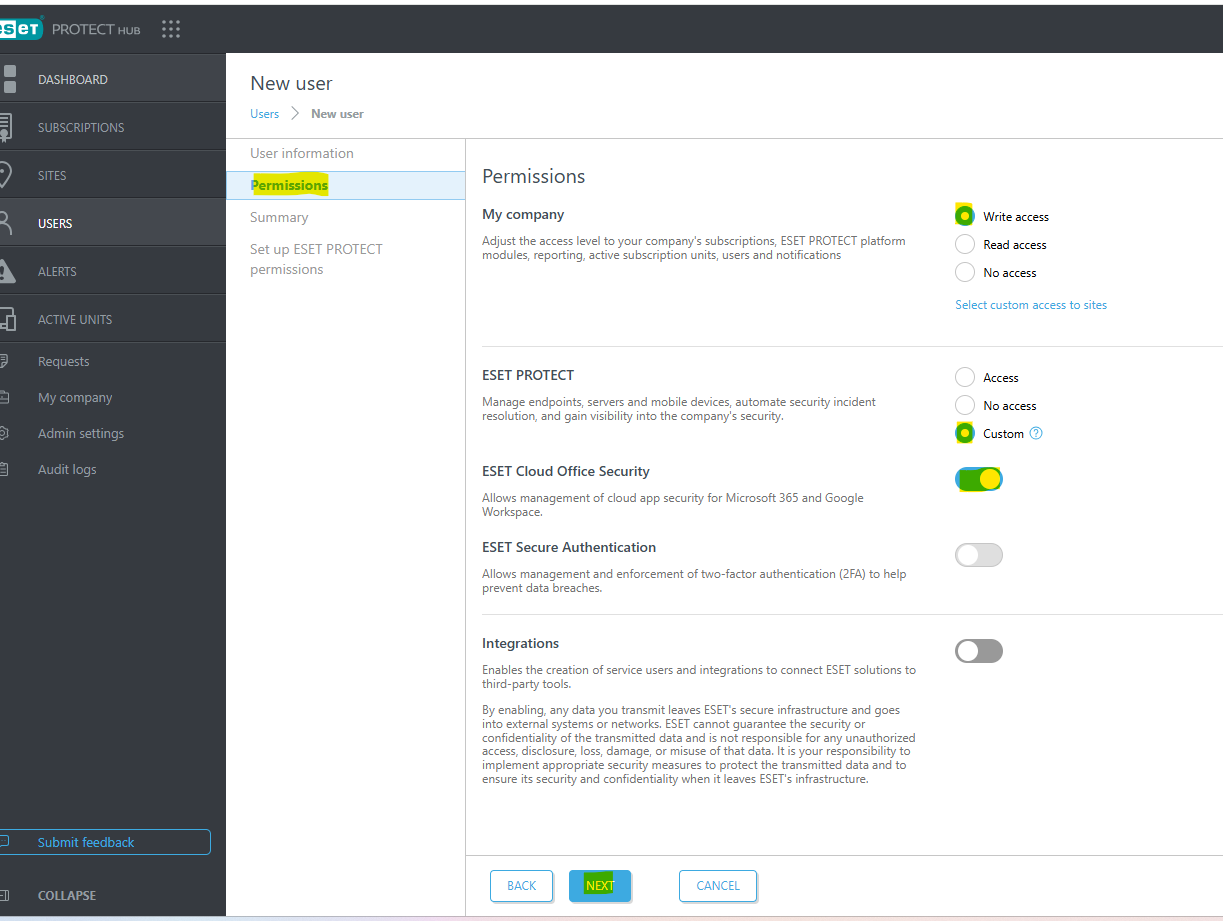
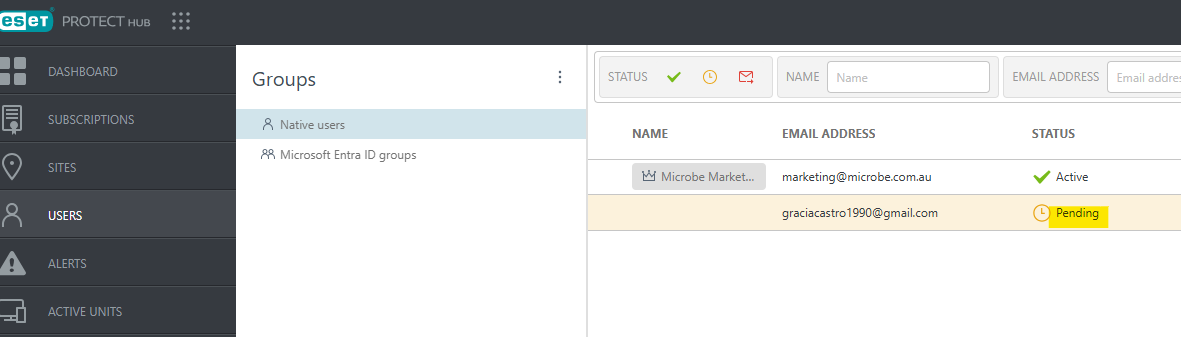
5. Once the email has been created, the user status will appear as “Pending”.
The new user must then check their email and click “Activate Account” from the invitation. This will redirect them to the account setup page where they will need to complete the registration form and create a new password for ESET PROTECT Hub.
Please note that these credentials are intended for the new user only and should not be shared.
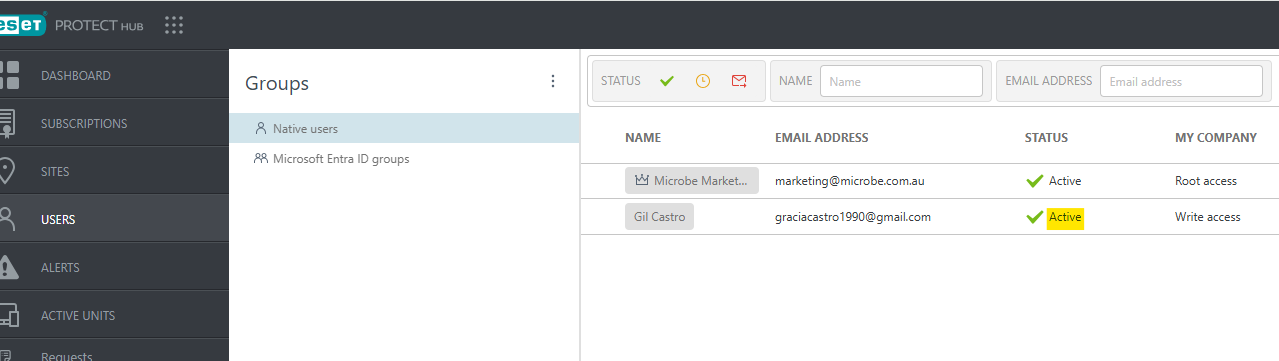
6. Once the new user activated his/her account go to ESET PROTECT Console using root access account
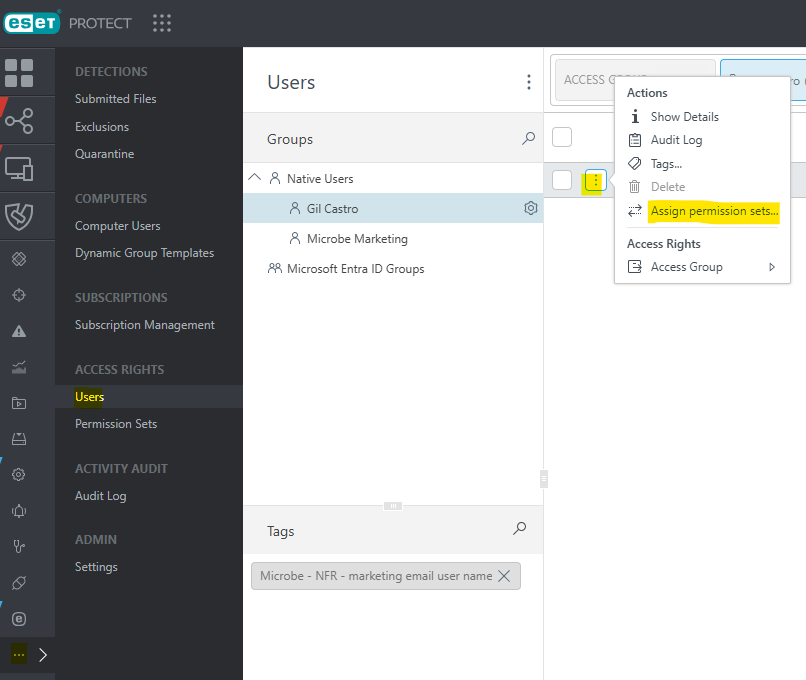
7. Using your root access or global account in ESET PROTECT, go to Users, locate the newly created user, click the three-dot menu (⋮) next to their name, then select Assign Permission Set
8. From the Permission Sets section, click Create New Permission Set. This allows you to define and assign specific permissions or access rights for the new user. Please refer to the example below for guidance.
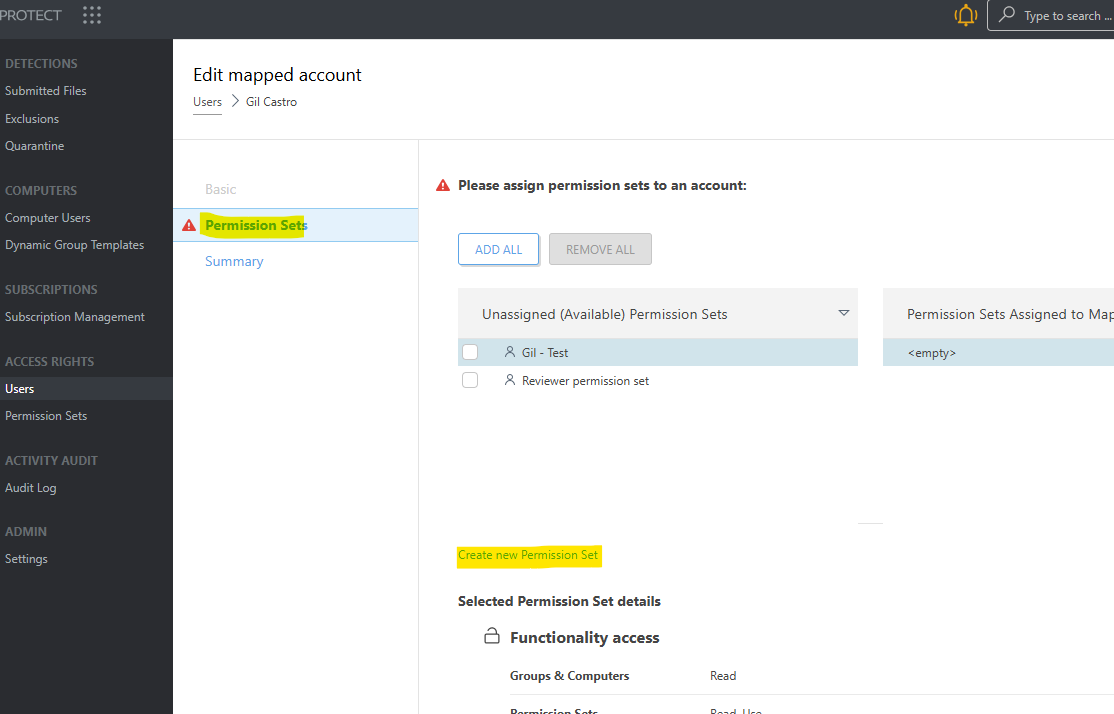
9. After clicking “Create Permission Set”, go to the Basic section and enter the name of the new user.
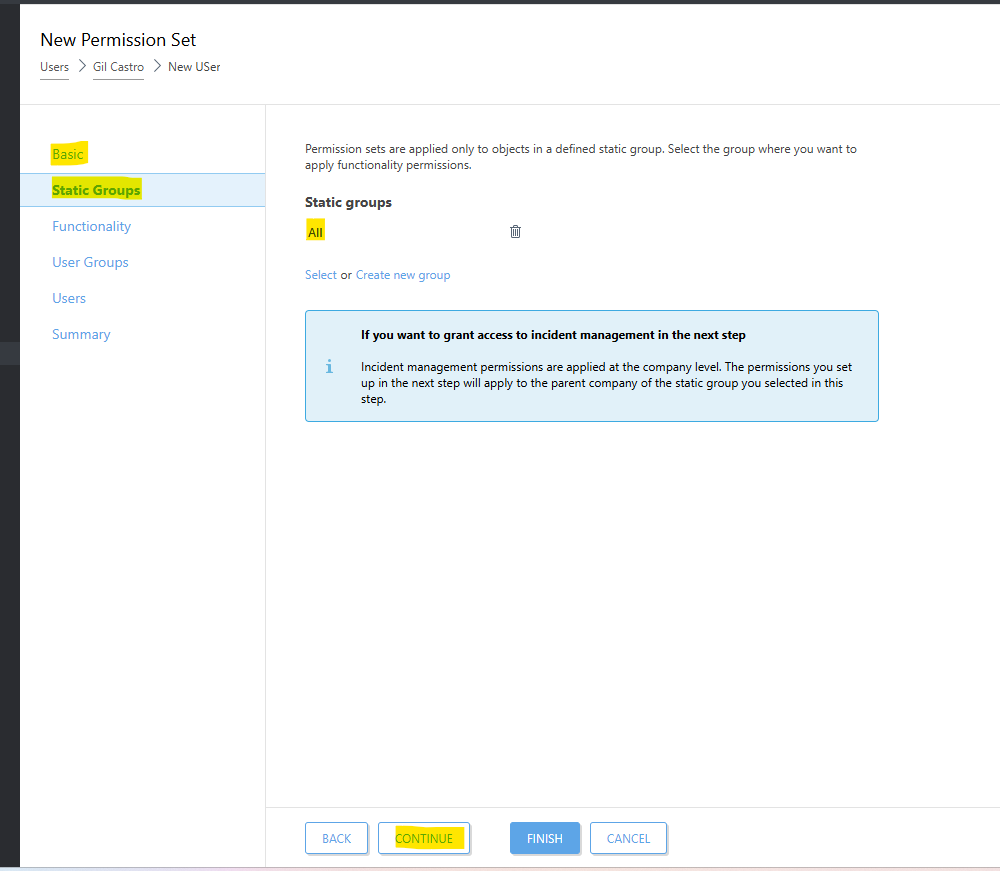
Under Static Group, select “ALL” if you want the user to have access to all customers. Alternatively, if you only want the user to monitor specific customers, select the relevant groups accordingly.
Once done, click “CONTINUE” to proceed.
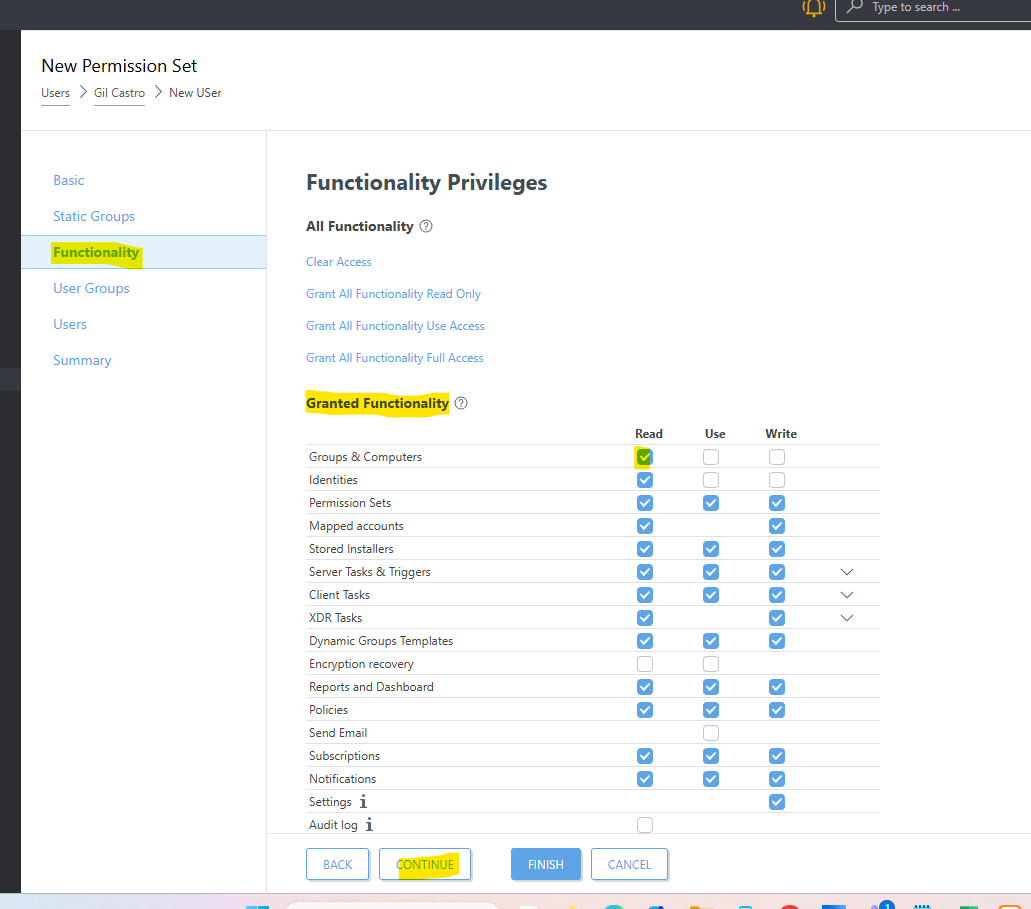
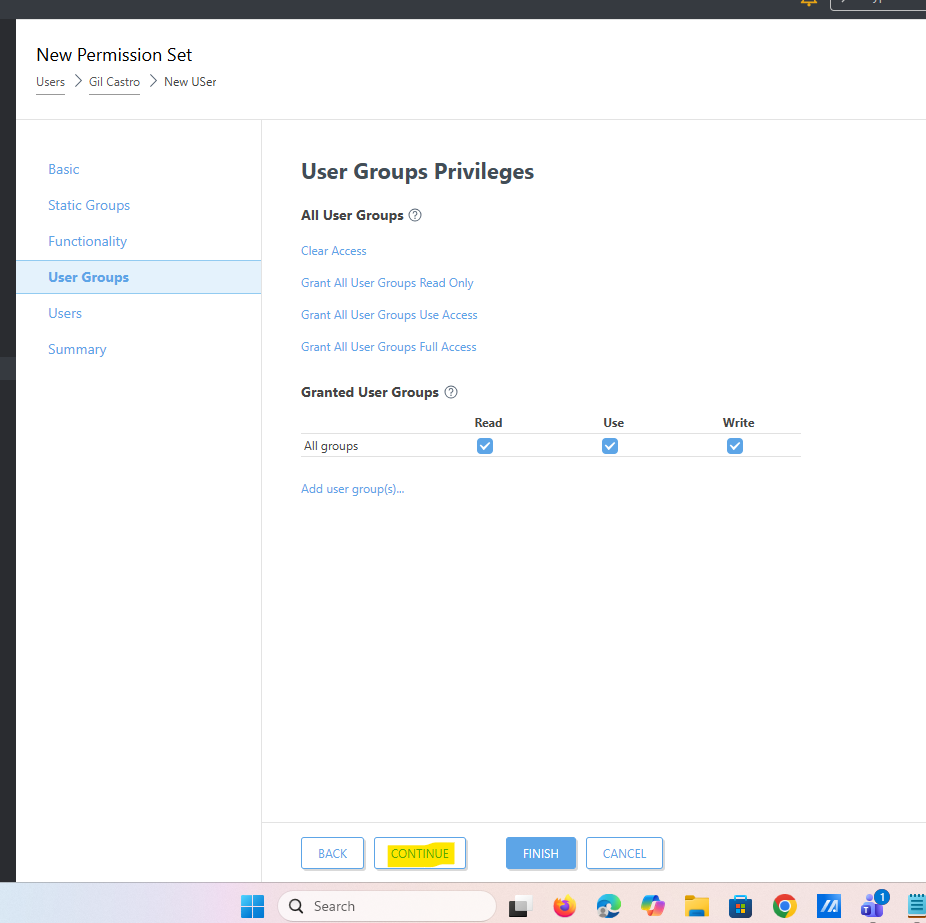
11. From the 'User Groups' please select 'ALL' then hit 'CONTINUE'
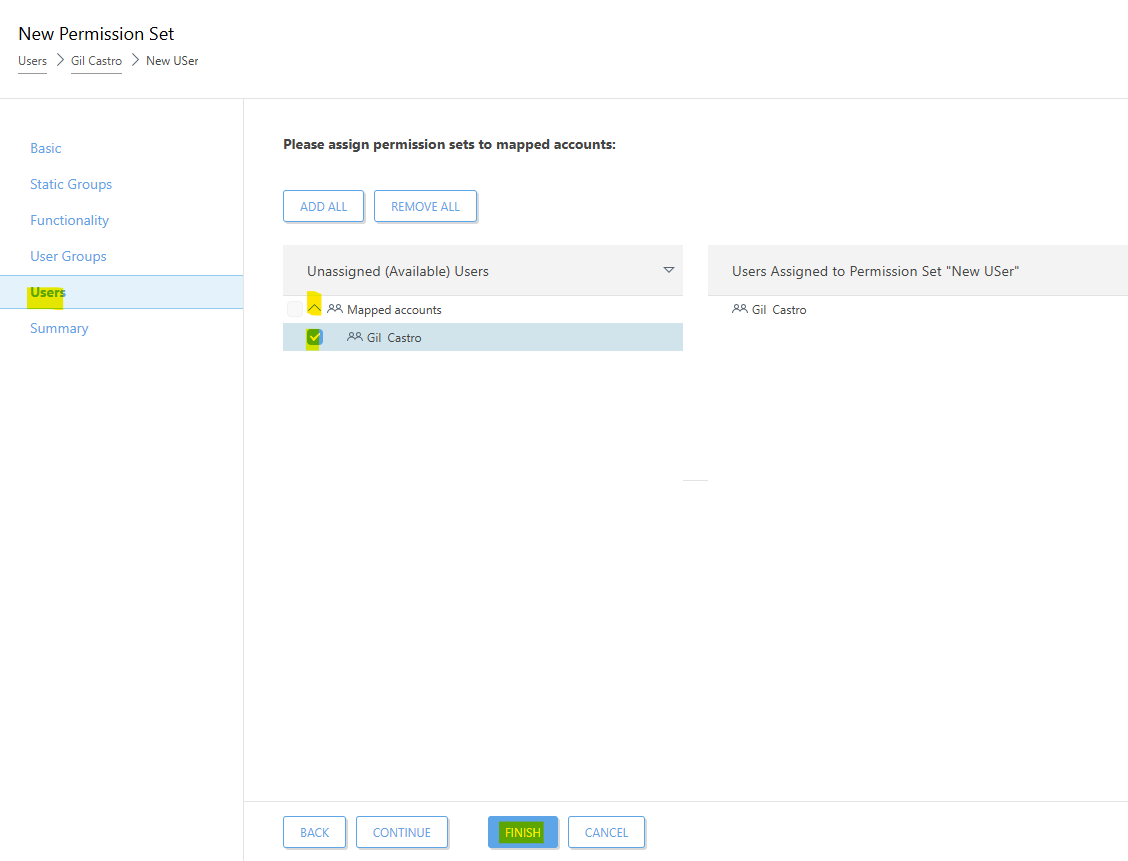
12. From the Users section, under the Unassigned option, click the drop-down arrow. Select the newly created user, then click “FINISH.”
The user is now successfully assigned. You may request the new user to log in and access the ESET Console