
Please follow the guide below to resolve the issue regarding the activation of KAS after the renewal.
1. Go to Profile > then from 'Renew option' click the 3 dots then hit 'Update status'
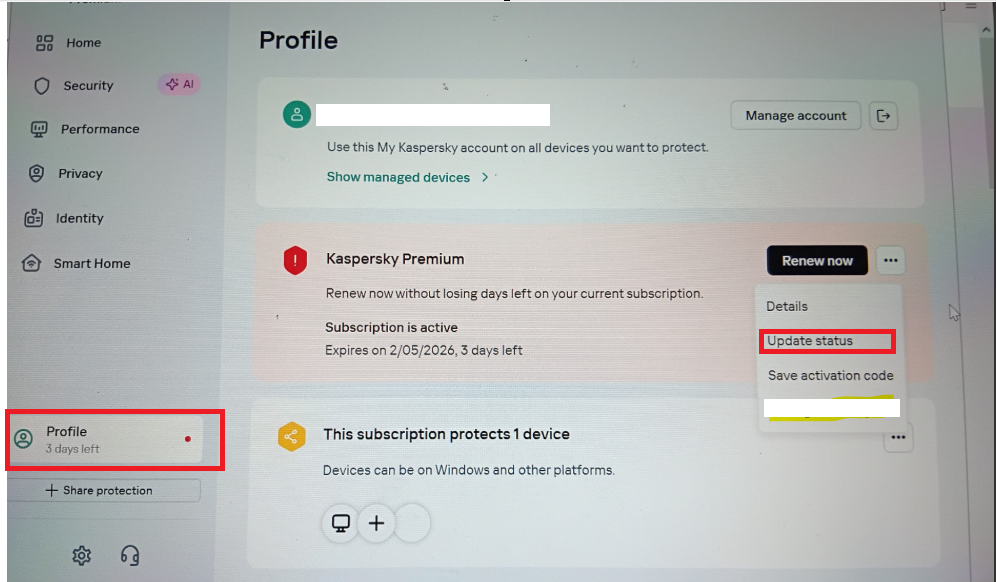
2. From the same "Renew Now" option, click the three-dot (⋮) menu, then select "Select Another
Subscription."
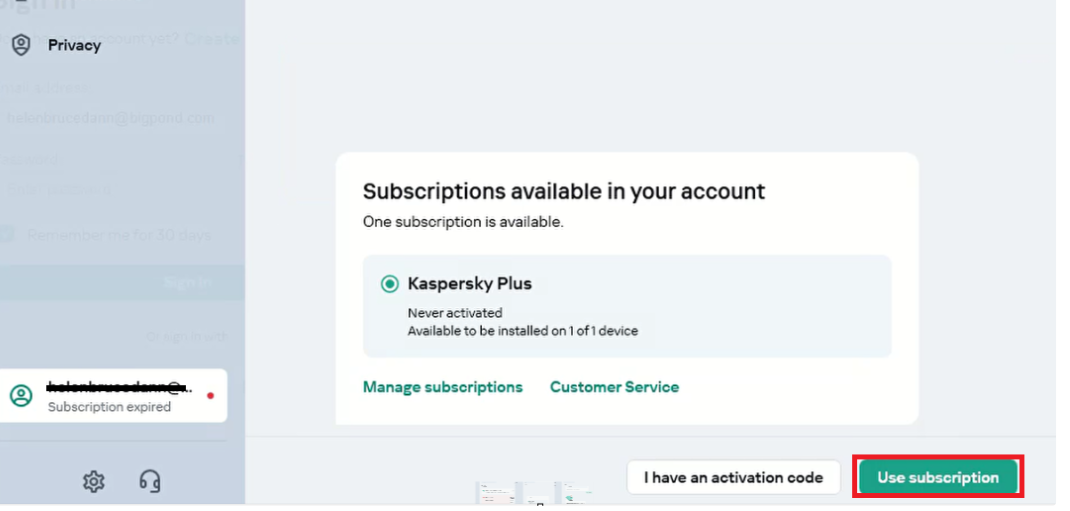
3. The updated license will be displayed. Select "Use Subscription" or "Use License" (the option name may
have been updated), then it will proceed with the activation.
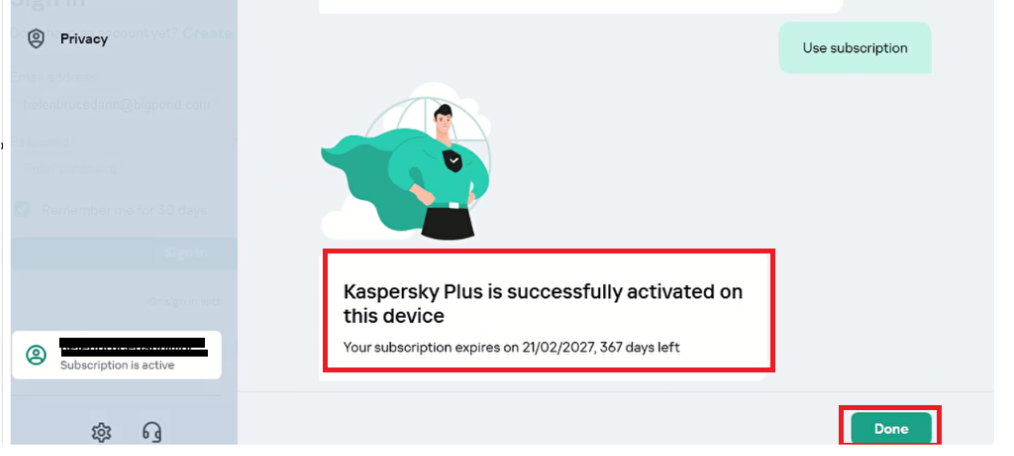
3. After clicking “Use Subscription or use license” the client should see a confirmation message, for example: “Kaspersky Plus is successfully activated on this device.” Once you see this message, your license is active. Click “Done” to complete the process, and your device will now be protected.
If the above guide does not resolve the issue, you can contact Kaspersky direct support on 1300 762 833.
If you are not able to reach them please call our hotline: 1300 084 040, choose option 2 for technical Support.