
Hi ,
One possible reason for this issue is that the ESET Management Agent (EM Agent) is not up to date.
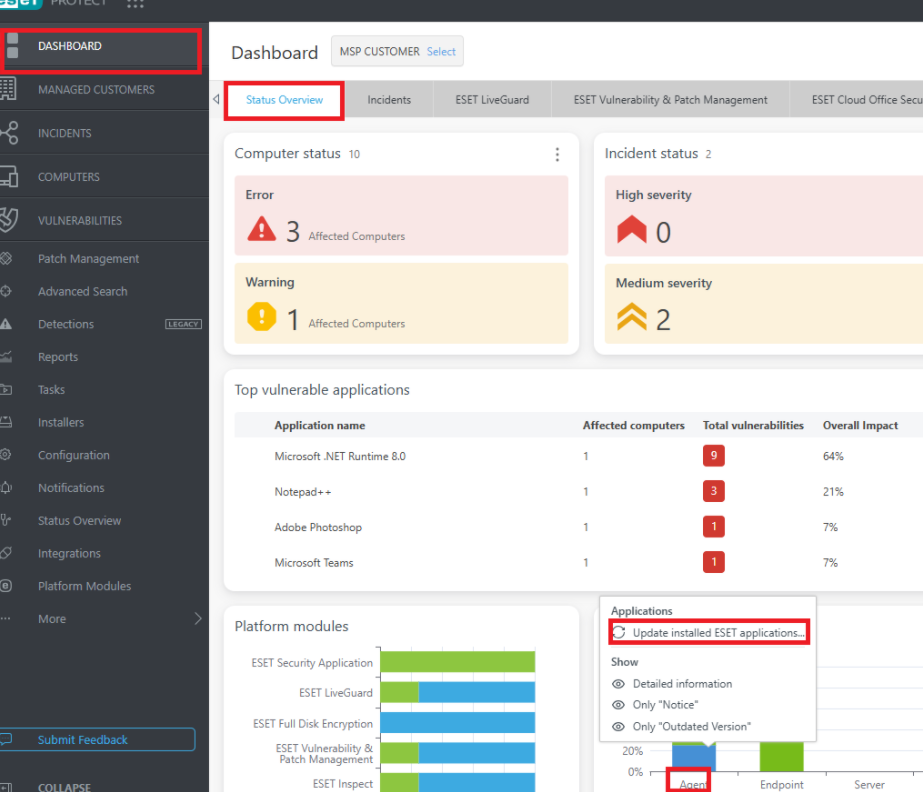
From the ESET PROTECT console, please try updating the EM Agent:
Go to Dashboard → under Version Status, locate the agent, then click “Update ESET Installed Application”.
No worries—updating the EM Agent will not require a reboot on the machine.
Please note that in some cases, you may encounter errors if the EM Agent is outdated on the client machine. It may not always update automatically through policy. In such cases, the only option is to manually update it from the Dashboard or create a new task in ESET PROTECT and run the Components Upgrade Task. guide will available here : https://support.eset.com/en/kb8153-upgrade-to-the-latest-eset-management-agents-using-the-components-upgrade-task-in-eset-protect
Kindly also perform the update from one affected machine first and check if it makes any difference before rolling it out to other devices.
As we have encountered a similar issue before, if updating the EM Agent does not resolve the problem, performing a fresh reinstallation of the ESET product (ESET Endpoint Security) together with the EM Agent may help resolve it. In some cases, corrupted or residual files within the ESET installation can cause unexpected issues, and reinstalling the product using the latest version can help ensure a clean and stable setup.
Additional information: If auto-updates are not enabled in your ESET PROTECT, you have the option to enable it.
You may refer to this guide for configuration steps:
ESET Support – Review auto-update settings for ESET business applications
ESET Support – Review auto-update settings for ESET business applications
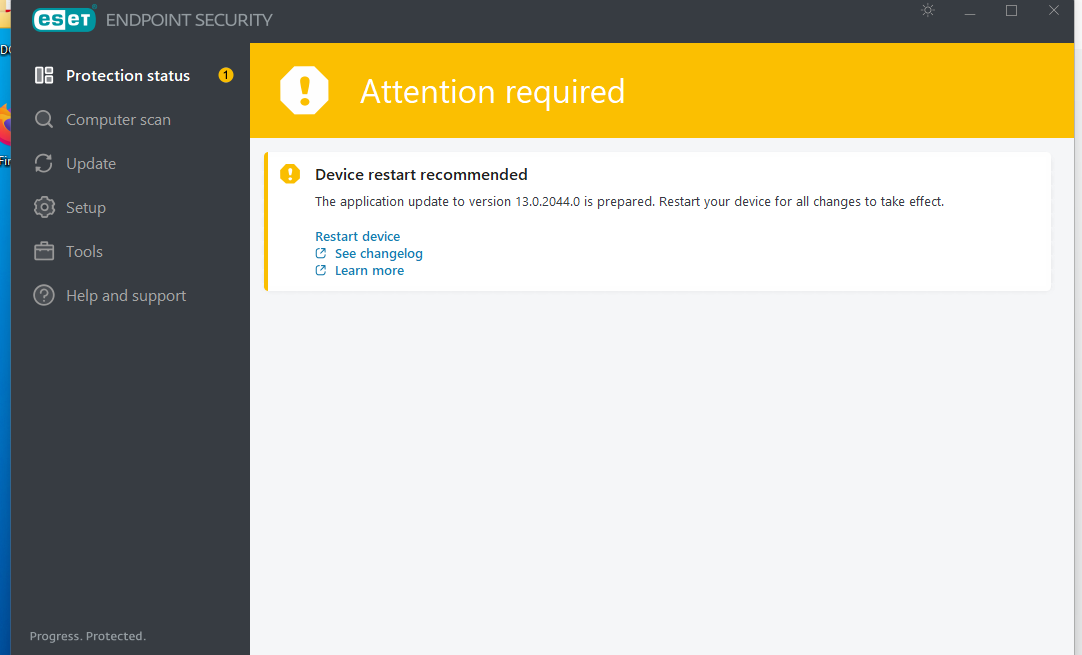
Once enabled, whenever a new version of the ESET product is released, it will be automatically pushed to the client machines. The only action required on the end-user side is to reboot their device once prompted, similar to the update alerts observed on my machine, see the below screenshots:
Cheers,
Microbe Support