CompuTrace is not a virus, but it is classified as a potentially unsafe application (PUA), and this detection is optional.
Since the detection is within the UEFI, it cannot be removed or cleaned directly. The only available option would be to upgrade the UEFI firmware, provided that the vendor offers a version without CompuTrace. However, this is very unlikely.
Therefore, we recommend creating a detection exclusion by following the steps below:
This is the source related to that case: KB6567 – You receive an ESET UEFI detection.
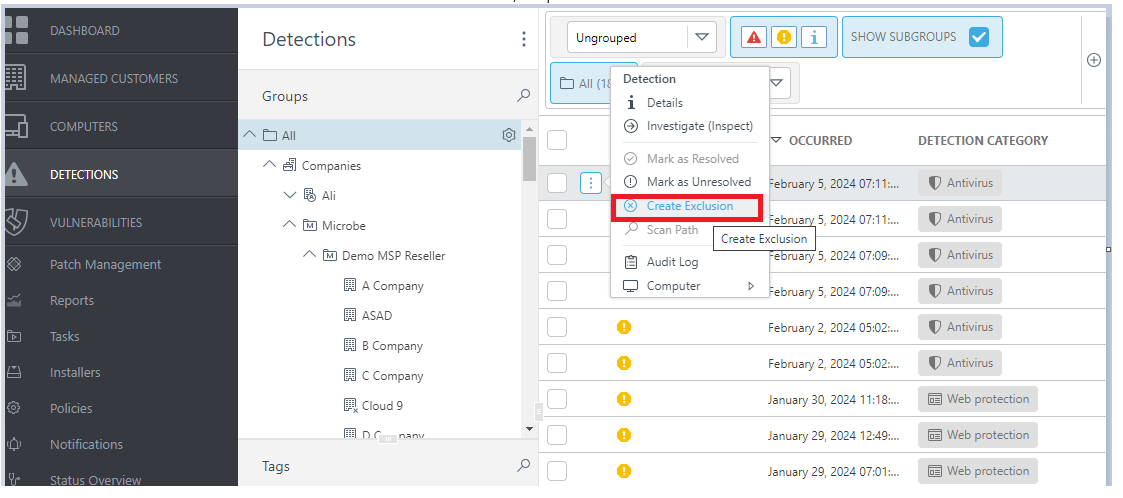
1. Go to ‘DETECTIONS’ section > then find the client with ‘DETECTION TYPE’ : EFI/CompuTrace.A then click the 3 dot > then click ‘Create Exclusion’
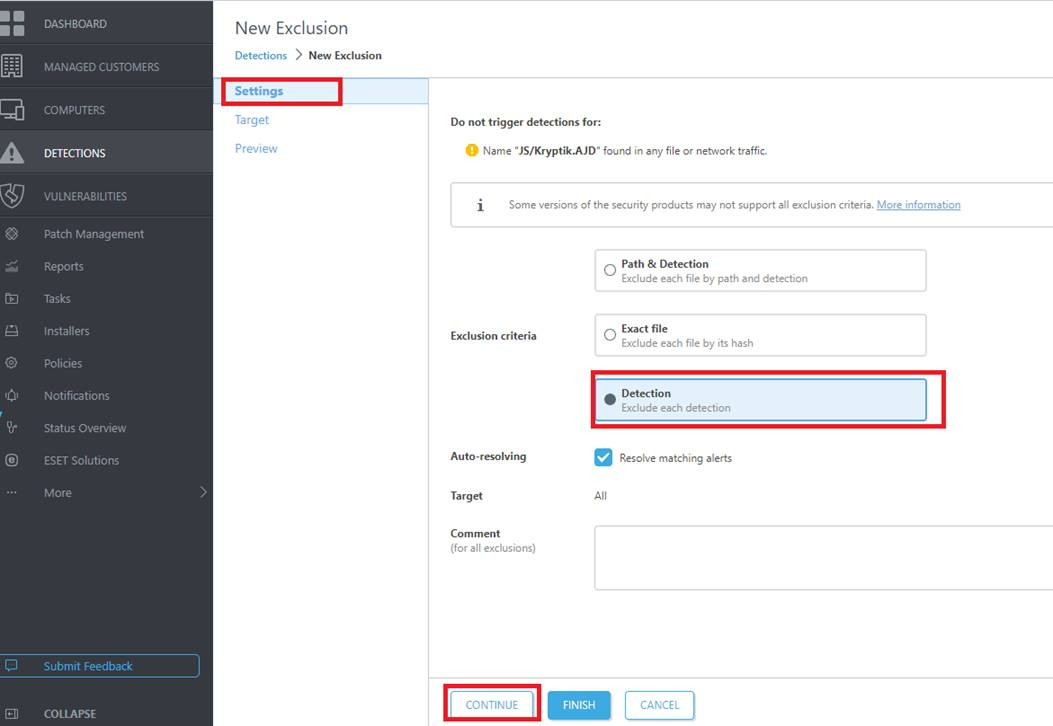
2. Under Settings > Detection, click CONTINUE if you want to add a more targeted client (in this case, I’m referring to a static group).
However, you can also click FINISH to automatically apply the exclusion to ALL clients. This means that if ESET detects the same or similar activity elsewhere, ESET will automatically exclude it, helping reduce detection noise in your ESET PROTECT console.